
Recover disabled Facebook account: 2023, after 30 days

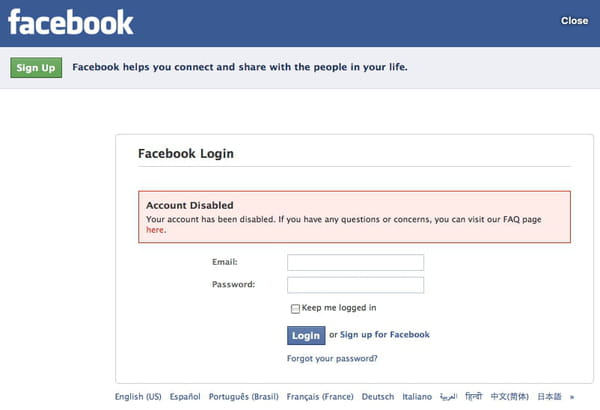
Recently Facebook has taken steps to increase security and enforce guidelines more strictly; the consequence has been an increase in closed accounts. Here is what to do if your Facebook account is locked or disabled.
Note: Unfortunately, not all accounts can be unlocked due to Facebook's guidelines.
How to recover your Facebook account?
As we mentioned above, several reasons could explain a blocked or disabled Facebook account. These reasons can fall under three main categories: site maintenance, disregard for the Terms of Use and Community Standards, user or system error, or security. Before reaching out to Facebook directly, it is important that you identify and understand the possible reasons for your locked account so that the Facebook team can adequately address your concerns. Here is an initial guide on how to recover your account:
- Go to the Facebook Login Page: Visit the Facebook website or open the Facebook app on your device.
- Click on "Forgotten Password?": On the login page, click on the "Forgotten Password?" link located below the password field.
- Identify Your Account: Facebook will ask you to enter the email address or phone number associated with your account, or you can enter your Facebook username. You can also use your full name if you've set it as your username.
- Search for Your Account: Facebook will search for your account based on the information you provided. If your account is found, it will show your profile picture and ask if it's you.
- Confirm Ownership: If you recognise the account, click on "This is Me" to proceed with the recovery process. If it's not your account or you're still having trouble, click on "No, Not Me."
- Reset Your Password: Facebook will then offer various methods to reset your password, such as using your email address or phone number. Choose the method that you have access to and follow the instructions to reset your password.
- Verify Your Identity: In some cases, Facebook might require additional verification to ensure you are the rightful owner of the account. This could include sending a code to your linked email or phone number, answering security questions, or providing identification documents.
- Regain Access: Once you have successfully reset your password and verified your identity, you should be able to regain access to your Facebook account.
Why does Facebook disable accounts?
If one of your friends accidentally reported some of your content as either abusive or marked it as spam, Facebook will automatically flag your account while it investigates the reported content. It is also possible that another user has reported your account as fake and requested that your account be removed.
Facebook disables accounts that don't follow the Facebook Terms of Use and Community Standards. Some examples include: posting content that doesn't follow the Facebook Terms of Use, using a fake name or not using your full real name, creating two accounts, impersonating someone, and continuing behavior violating the Community Standards. Read Facebook's Terms and Community Standards carefully to avoid any accidental issues.
If you believe your account has been disabled by mistake, you may appeal Facebook's decision by completing an online form. Once submitted, Facebook will investigate the issue. Remember that requests are not guaranteed within a specific time span — you may find yourself waiting for several weeks before receiving a response.
Facebook takes its security measures very seriously, so if an account poses any security threat, the system will automatically flag it for review, disabling user access. Other reasons can include any of the following cases: the creation of an account under a false identity, promoting illegal content, unsolicited contact, harassment of other users, inappropriate or spam advertising, or general suspicious activity.
What documents do you need to recover an account?
Suppose Facebook suspects you have two accounts or created an account under a false name. In that case, you may receive a message that reads: Unfortunately, you won't be able to access your account while we're reviewing these additional documents. We appreciate your patience, and we'll get back to you as soon as we can. If this is the case, you will be asked to submit additional documents to help Facebook verify your identity.
You can read more on which type of documents Facebook accepts, how to upload your document, why you must upload proof, and what happens to your document after you have uploaded it by reading Facebook's official Help page.
When uploading your documents, take care to cover up any confidential information (e.g. your license or passport number) to lessen the risk of identity theft. All documents should be clearly scanned, with your name, birthday, and photo properly displayed.
Once your documents are scanned and saved to your computer, head back to the contact form, click Upload, and select the file containing your ID. Remember that Facebook may take several weeks to respond to your request. Also note that, if you have created your Facebook account under a false ID, or if the name of your account does not match exactly the name on your documents, you will not be able to recover your account.
What are some additional tips to recover your account?
Here are some tips on restoring access to a locked or disabled Facebook account. Please note that account recovery time may vary depending on the reason for a locked account.
Accounts deemed as pirated, phished, or compromised can be disabled by Facebook. If this is the case, you can proceed in one of two ways: by cleaning up your browser or by going through an additional verification process.
To restore your Facebook account, you can try avoiding making any attempt to open your Facebook account for 96 hours. Also, clear your browser cache, and delete your cookies. In some cases, this may be enough to restore account access.
If your login attempts still fail, you can undergo an additional automated security verification process. One way to do this is by confirming your mobile number by asking Facebook to send a code via text message to your phone that you can enter online. Another method is to verify your friends by identifying them in random photos in which they are tagged. If successful, you will be greeted with a congratulatory message and regain access to your account.
How to prevent your account from getting locked?
There is no exact science that can ensure access to your account at all times, but there are a few measures that you can take to prevent your account from being locked, flagged, or disabled.
Our first recommendation would be to review Facebook's Terms and to observe the Community Standard Rules. Again, any deviation from these rules is often quickly flagged and could result in an investigation into your account.
We also advise against the use of proxy servers or servers that use anonymous IP addresses in order to access blocked sites. The use of proxy servers may have a negative impact on a Facebook account, as proxies are unknown to Facebook and may affect the overall network security.
Finally, we recommend not accessing your account on multiple devices simultaneously. While Facebook does allow for multi-device authentication, accessing your account on various devices at once may be viewed as a security breach. To avoid this, always log out from the device that you used previously before trying to log in with another.