
QWERTY vs AZERTY keyboards: change layout, quickly switch
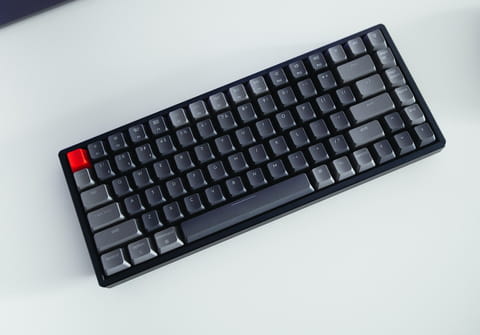
This tutorial will introduce you to the two most widely used types of keyboards: the QWERTY and the AZERTY keyboards. You will also find out how to easily change from one to another, and which shortcuts to use on both.
What is a QWERTY keyboard?
QWERTY keyboards, also known as Sholes keyboards, refer to the five consecutive letters on the upper left corner of the keypad. This type of keyboard bears the layout used for Latin-script alphabets and is the most common keyboard used in the United States, the United Kingdom (and other anglophone countries), and Spain.
What is an AZERTY keyboard?
An AZERTY keyboard is the most common type of keyboard widely used in countries such as Belgium and France. The letters are also found in a consecutive sequence on the upper left corner of the keypad.
How to change your keyboard language?
- Go to the Start menu, and open Control Panel.
- Choose Clock, Language and Region > Regional and Language Options. In the Installed Services section, click Add.
- If your keyboard language is set to French (AZERTY), change it to English US/UK, and if your keyboard is set to English (QWERTY), change the language to French (AZERTY).
- In the Keyboard section, choose QWERTY or AZERTY, and click OK.
Once you apply the changes, your keyboard language should be changed.
How to unblock your keyboard from AZERTY mode?
- If you would like to revert your keyboard from AZERTY mode to QWERTY mode, click the Start menu > Settings > Time, Language, and Region.
- Click Modify keyboards or other input methods. Select the keyboard that you wish to delete, then click Delete > OK.
What to do if the NumLock function is locked on a laptop?
Occasionally, when you are typing with your keyboard, you may find that numbers and symbols have replaced the letters that you are trying to insert. This can occur when the [NumLock] key has been pressed, which changes the keyboard into the mode in which it acts as a number pad. If you are using a laptop that doesn't feature a number pad, your [NumLock] key may be the reason behind this.
To reverse this and return to the normal letter mode, press the [NumLock] button on your keyboard. Some models may require one of the following key combinations: [Fn] + [NumLock] or [Shift] + [NumLock].
How to quickly switch between QWERTY and AZERTY keyboards?
You can also rapidly navigate between QWERTY and AZERTY keyboard settings by using any of the following key combinations: [ALT] + [Shift], [Shift] + [ALT], or — if you are using an AZERTY keyboard — [Shift] + [Alt Gr].
What are the shortcuts on the AZERTY keyboard?
Special characters can be inserted using these shortcuts: AltGr + letter or AltGr + Shift + letter.
-
Alt + o = ø
- Alt + Shift + o = Ø
- Alt + a = æ
- Alt + e = €
- Alt + r = ¶
- Alt + p = þ
- Alt + q = @
- Alt + s = ß
- Alt + d = ð
- Alt + m = µ
- Alt + c = ¢
- Alt + Shift + a = Æ
- Alt + Shift + e = ¢
- Alt + Shift + r = ®
- Alt + Shift + y = ¥
- Alt + Shift + p = Þ
- Alt + Shift + s = §
- Alt + Shift + d = Ð
- Alt + Shift + f = ª
- Alt + Shift + k = &
- Alt + Shift + m = º
- Alt + Shift + c = ©
- Alt + ² = ¬
- Alt + 1 = ¹
- Alt + Shift + 1 = ¡
- Alt + Shift + 3 = £
- Alt + Shift + 4 = $
- Alt + Shift + 8 = (TM)
- Alt + Shift + 9 = ±
- Alt + Shift + 0 = °
- Alt + Shift + ) = ¿