
How to fix a blue screen on Windows
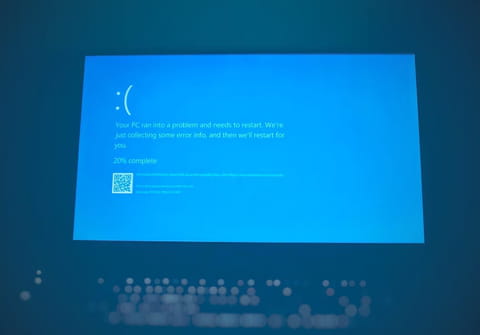
The Blue Screen Of Death or BSOD on Windows indicates a system crash. Here we tell you what you need to understand when the error codes are displayed.
What can be blue screen reasons?
When your computer encounters a serious problem, it will do one of the following: restart or display a BSOD, which provides information about the nature of the problem.
In some situations, BSODs are followed by the immediate reboot of the system, and you don't have the time to identify the cause of the error. In these times, you can use BlueScreenView to view the BSOD logs.
Some errors that lead to a BSOD can be easily identified and solved.
What can be hardware issues?
Newly added hardware or memory issues can lead to a BSOD. Check this by testing your RAM and the other components of your system.
Overheating can also cause BSOD. To fix this, read our article on cooling down your PC.
Software problems, drivers, and malware
Firstly, you should uninstall any new software or drivers after receiving a BSOD. Before re-installing them, make sure that they are compatible with your system.
Suppose the blue screen is displayed at the beginning of your session. Boot in Safe Mode, and try to restore your system. Diagnostic software, such as WhoCrashed, BlueScreenView, and AppCrashView, can allow you to identify the driver causing the crash.
Windows event viewer
Windows keeps track of your computer's hardware, software, and system errors in the Event Viewer.
Three types of logs can happen:
- Application log.
- Security log.
- System log.
Open the Control Panel, then go to Administrative Tools, followed by Event Viewer to access these logs.
How to understand the error codes?
On the BSOD, the error code that explains the root of the issue is displayed just after the words Stop error. They usually resemble something like "0x0000000A (0x00000000, 0x00000000, 0x01C010101, Ox00000000)" .
Continue reading to find out what you should do to fix your system when you receive each error code.
IRQL-NOT-LESS-OR-EQUAL 0x0000000A (address, address, address) or (0x804ECD70)
If you get this code, you should boot in Safe Mode, then click Start > Run > msconfig > System.ini. Next, disable the command for 16-bit app support.
Stop 0x0000000A Usbport.sys
You should update the operating system via Windows update if this code is displayed.
Stop 0x000000A0 or Stop 0xA0 or INTERNAL_POWER_ERROR
If the message Stop 0x000000A0, Stop 0xA0, or INTERNAL_POWER_ERROR appears during standby, install the latest service pack for Windows.
Stop 0x000000A5 or Stop 0xA5 or ACPI_BIOS_ERROR
This error is produced when you install Windows on a computer whose BIOS is not fully ACPI compliant.
Stopx100000EA THREAD_STUCK_IN_DEVICE_DRIVER_M
This indicates a problem concerning the graphics card driver.
Try to update the driver with Windows Update or directly on the manufacturer's website to fix it.
Stop 0x0000001E or Stop 0x1E or KMODE_EXCEPTION_NOT_HANDLED
This error indicates a software incompatibility somewhere in your system.
Stop 0x00000023 FAT_FILE_SYSTEM
This error code is indicative of a corrupted file system. Run the Chkdsk /f /r to fix this issue.
Stop 0x00000024 or Stop 0x24 or NTFS_FILE_SYSTEM
To fix this issue, try going to Recovery Console and typing chkdsk c: / p / r, to correct errors in the discs.
Stop 0xc000026C
This error can also be expressed as:
- Stop 0xc0000221 Unable to Load Device Driver.
- Stop: 0xc000026C [Unable to load device driver] + DriverName.
- Stop: 0xc0000221 [Unable to load device driver] + DriverName.
- Stop: 0xc0000221.
They mean that a device driver file (.sys) is missing or damaged.
Stop 0x00000050 or Stop 0x50 or PAGE_FAULT_NONPAGED_AREA
This error code is related to the fact that a program or driver is not compatible with the version of Windows.
Stop 0x0000008e Stop 0x00000050 or PAGE_FAULT_IN_NON_PAGED_AREA
This code means that the Setupdd.sys file could not be loaded or is damaged.
Stop: 0x00000050 PAGE_FAULT_IN_NONPAGED_AREA
This error message indicates a problem with the RAM or video card driver.
Stop 0x00000074 BAD_SYSTEM_CONFIG_INFO
This code is related to a RAM issue. Check this by testing your RAM.
Stop 0x00000077 KERNEL_STACK_INPAGE_ERROR at startup
This code means that there is paged data missing from the page file. The last line of code can give you more precise information about the nature of the problem: 0xC000009C or 0xC000016A points to a bad sector, whereas 0xC000009D or 0xC0000185 indicates a problem related to the HDD.
To check which issue you are dealing with, open the Recovery Console and run a check disk (CHKDSK command c: / p / r).
This error may also involve the motherboard or a faulty memory module. You can always disable the system cache in the BIOS to determine if the problem comes from the motherboard and test the RAM.
Stop 0x0000007A or Stop 0x7A or KERNEL_DATA_INPAGE_ERROR
This error indicates that a page could not be found in the computer's virtual memory. This may be due to a hardware problem.
Stop 0x0000007B or Stop 0x7B or INACCESSIBLE_BOOT_DEVICE
You can fix the boot using the command FIXBOOT in the Recovery Console.
Stop 0x0000007E
Locate the program using the XXXX.sys file and uninstall it.
Stop 0x7E
Locate the program using the XXXX.sys file and uninstall it.
SYSTEM_THREAD_EXCEPTION_NOT_HANDLED
Locate the program using the XXXX.sys file and uninstall it.
Stop: 0x0000007E Usbhub.sys
This means that the bandwidth of all your devices is greater than the maximum allowed. Install the KB822308 hotfix from Microsoft.
Stop: 0x0000007E SYSTEM_THREAD_EXCEPTION_NOT_HANDLED
If the error occurs after you've updated Windows XP, several causes could be BIOS update, RAM issue, or an incompatible driver.
The Win32k.sys error indicates an incompatible third-party program.
Stop: 0x0000007E Ndis.sys
This code indicates that you should update the driver of your graphics card.
Stop 0x0000007F or Stop 0x7F UNEXPECTED_KERNEL_MODE_TRAP
This error means that the processor is overheating. If it is a hardware problem, try updating your computer's BIOS.
Stop 0x0000008E
This code indicates that an update of the operating system is required.
Stop 0x8E
This code indicates that an update of the operating system is required.
KERNEL_MODE_EXCEPTION_NOT_HANDLED
This code indicates that an update of the operating system is required.
Stop 0x1000008E KERNEL_MODE_EXCEPTION_NOT_HANDLED_M
This error means that the device driver is not compatible.
Stop 0x00000050 PAGE_FAULT_IN_NON_PAGED_AREA
Stop 0x0000008E (0x00000005, address, address) win32k.sys Address BF800000 base at BF873A32, or datestamp 3d6de5e5
Stop: 0x0000008E Win 32k.sys
The contents of the error report: c: /windowsMinidumpMini070403-01.dmp, or a problem has been detected, and Windows has been shut down to prevent damage to your computer.
PFN-LIST-CORRUPT Technical information: Stop: 0x00008E (0xc0000005, 0xXXXXXXX, 0xXXXXXXX, 0x00000000)
These codes are related to incompatibility between the motherboard and the CPU. If this problem occurs at startup, a BIOS update should suffice.
Stop 0x0000009C "MACHINE_CHECK_EXCEPTION"
This error code indicates a hardware problem. Check the fans or clean the various components to remedy it.
Stop 0x000000BE 0xBE or ATTEMPTED_WRITE_TO_READONLY_MEMORY
This error is usually due to a device driver, a service, or incompatible firmware. You can try repairing it by updating your drivers.
Stop 0x000000C2 or Stop 0xC2 or BAD_POOL_CALLER
This issue means that a problem has been detected, and Windows has been shut down to prevent damage to your computer.
The BAD_POOL_CALLER message means that you need to update your graphics card driver.
Stop 0x000000D1 or Stop 0xD1 or DRIVER_IRQL_NOT_LESS_OU_EQUAL
This error code indicates that a driver is using an incorrect address. Note that the driver responsible for this problem is mentioned in the error message.
Stop 0x000000EA or Stop 0xEA or THREAD_STUCK_IN_DEVICE_DRIVER
To fix this error, you need to update the driver for your graphics card.