

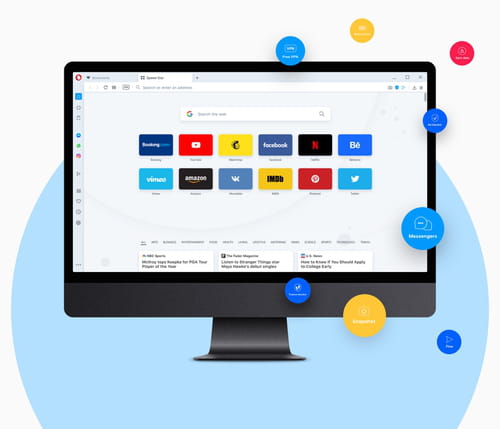
With a sleek user interface (the first ever to add sidebar extensions), Opera is a fast, strong, stable, and secure web browser. It comes along with practical and innovative features to make you feel comfortable when surfing the web.
What are the key features of the Opera browser?
-
Multi-operation: Opera provides users with an intuitive interface that supports tabbed browsing. It offers a system that can perform multiple searches at a time.
-
Ad and tracker blocker: By default, Opera blocks ads and trackers that collect your data. These features also block cryptocurrency mining commands, protect your computer from malicious code injection and make websites load faster.
-
Optimization: What makes Opera different is that it has an optimization module to load pages quickly. This off-road mode compresses all open pages, ensuring a good connection speed.
-
Floating videos: You can enable floating windows to stay on top so that you can keep browsing the web while watching your content.
-
Customize: You can customize your browser to make it look the way you want, including changing the wallpaper, your homepage layout, enabling dark mode, and more.
-
Favorites: It is possible to easily access your most visited websites by classifying them in the Favorites tab, which of course you can organize to your liking.
-
Sync and share: You can connect all your devices with Opera, sync your data, and share files easily.
-
Enhanced privacy and VPN: To make your experience the most complete possible, you can use the integrated free VPN service, browse with a virtual IP address to hide your location, and take advantage of the no-log policy.
-
Keep things organized: You can create groups of tabs depending on your needs and even create dashboards for shopping, gaming, studying, working, and more.
-
Many integrated features: Opera integrates your favorite instant messaging and social media apps, including Messenger, WhatsApp, Telegram, Vimeo, Twitter, and VKontakte. In addition, you will find plenty of additional features, like a Crypto wallet, a unit converter, and more.
Is Opera free?
Yes, you can download and use it for free.
Is Opera safe?
Opera is considered as safe as any other top Internet browser. As always, don't forget to check the Privacy policy before installing.
Is Opera better than Google Chrome?
Since both browsers are based on Chromium, they offer a somewhat similar user experience. However, Opera stands out for including built-in features (such as VPN and ad and tracker blockers) that Chrome only offers as extensions. In addition, Opera also has more predictive capabilities for preloading websites and several additional quick access options. Of course, some features suit some users better than others, so it's best to try each browser and decide which is better for you.
- Opera browser download
- Download opera
- Opera mini for pc
- KMSPico > Download - Other
- Opera gx download > Download - Browsers
- Grand Theft Auto V > Download - Action and adventure
- Opera mini > Download - Browsers
- FIFA 23 > Download - Sports